- You have no items in your shopping cart
- Subtotal: ₹0.00
|
Getting your Trinity Audio player ready...
|
Let’s be real. You spent hours picking the perfect outfit, found golden-hour lighting, nailed your transitions and then your reel sounds like it was recorded inside a washing machine.
That’s the audio problem nobody warns you about. Instagram’s algorithm pushes reels with high watch time, and bad audio is the fastest way to make someone swipe away. A wireless mic for Instagram Reels isn’t a luxury anymore. It’s the bare minimum if you’re serious about growing.
In this guide, I’m breaking down everything, why your reels sound terrible, which mic fits your shooting style, the annoying selfie-mode problem, outdoor wind noise fixes, my top 5 mic picks, how to connect them, and my honest one-year experience with the Grenaro TX.
No fluff. No fake specs. Just stuff that works.
Why Your Instagram Reel Sounds Bad
Here’s the thing most creators don’t realize. Your phone’s built-in microphone is designed for phone calls, not content creation. It picks up sound from every direction, traffic, AC hum, people talking, that one auto-rickshaw honking three streets away.
When you record a reel, your phone mic captures everything equally. Your voice competes with background noise, and Instagram’s compression makes it worse. The platform compresses audio during upload, so what sounded “okay” on your phone ends up sounding muddy and distant in the final reel.
There are three common reasons your reel audio sounds bad:
Distance from the mic. Even holding your phone at arm’s length for a selfie shot puts your mouth 2-3 feet away from the mic. That’s enough distance for audio quality to drop noticeably.
Wind and ambient noise. Phone mics have zero wind protection. Step outside and every breeze becomes a low rumble that drowns your voice.
Phone case interference. Many phone cases partially block the microphone hole. Sounds silly, but it happens more often than you’d think.
A wireless mic solves all three problems. It sits close to your mouth (usually clipped to your collar), captures your voice directly, and most good ones come with noise reduction built in.
Reel Shooting Styles and the Mic That Matches
Not every reel is shot the same way, and not every mic works for every style. Here’s what actually matters.
Talking head / educational reels.
You’re standing or sitting, speaking directly to camera. A clip-on wireless lavalier mic is perfect here. It stays hidden on your collar, picks up your voice clearly, and you barely notice it’s there. Models like the RODE Wireless GO II or the Grenaro J13 work great for this.
Walking and vlog-style reels.
You’re moving, the background is changing, and there’s ambient noise everywhere. You need a wireless mic with strong noise cancellation and decent range, at least 20-30 meters. The DJI Mic Mini or Hollyland Lark series handle movement well because they maintain a stable wireless connection even when you turn around or walk behind obstacles.
Interview or two-person reels.
You need two mics that connect to one receiver. Dual-channel systems like the Grenaro P10/P11 (which come with two transmitters and one receiver) or the RODE Wireless GO II are built for exactly this.
Dance and performance reels.
Audio here is usually a music overlay, so you might think a mic doesn’t matter. But if you’re adding voiceover intros or commentary between clips, a quick clip-on wireless mic saves you from re-recording audio separately.
Match the mic to how you actually shoot, not to what looks coolest in an unboxing video.
The Selfie Mode Problem: USB Receiver Gets in the Way
This is the problem nobody talks about in mic reviews, and it drives creators absolutely crazy.
Most wireless mic receivers plug into your phone’s USB-C or Lightning port at the bottom. When you’re shooting in normal (rear camera) mode, the receiver points downward, no big deal. But flip to selfie mode, and suddenly you’re holding the phone upside down relative to the receiver, or the receiver sticks out awkwardly and gets in the way of your grip.
Worse, some phone cases make the USB-C port tight, so the receiver wobbles or disconnects mid-recording. You lose audio halfway through a take and don’t even realize it until you watch the footage back.
Here are a few ways creators work around this:
Use a small right-angle USB-C adapter. A 90-degree adapter redirects the receiver sideways instead of straight down. It costs under ₹200 and solves the problem instantly.
Mount your phone on a mini tripod. When the phone is on a tripod, the receiver has room to hang without interfering with your grip. Plus, your footage is more stable.
Pick mics with compact receivers. Some newer models like the DJI Mic Mini have very small receivers that barely protrude from the port. The Grenaro series also keeps the receiver fairly compact.
Try Bluetooth-based mics (with caution). A few mics connect via Bluetooth, which eliminates the port issue entirely. But Bluetooth audio often has latency, your voice arrives a fraction of a second late, and lip-sync issues are painful in reels.
My suggestion? A right-angle adapter is the cheapest, simplest fix. It changed my shooting experience completely.
Outdoor Wind Noise Fix: Mics That Come With Wind Muffs
Outdoor shooting is where most budget mics completely fall apart. You hit record, start talking, and all your viewers hear is “WHOOOOSH” mixed with faint traces of your voice.
Wind noise happens because moving air hits the microphone diaphragm directly and creates low-frequency rumble. Professional filmmakers have been solving this with windscreens (those fluffy covers you see on boom mics) for decades. The good news is that many wireless mics now include wind muffs, small foam or furry covers that fit over the transmitter.
Here’s what to look for in a mic if you shoot outdoors regularly:
Included wind muffs are a must.
Don’t buy a mic and then spend extra on third-party wind covers that may not fit. Mics like the Grenaro TX and the RODE Wireless GO II come with proper wind muffs in the box. That matters.
Multi-level noise reduction helps.
Some mics (including several Grenaro models) offer 3-level noise reduction that you can adjust based on your environment. Level 1 for quiet indoor shots, Level 3 for noisy outdoor streets. This is genuinely useful and not just a marketing gimmick.
Furry windscreens outperform foam.
If your mic only comes with foam covers, consider buying a small furry “dead cat” windscreen separately. Foam blocks light breeze; fur handles stronger wind. The difference in outdoor audio quality is dramatic.
If you’re a creator who regularly shoots outdoors, travel reels, street content, rooftop videos, don’t cheap out on wind protection. It makes or breaks your audio.
Top 5 Wireless Mics for Instagram Reel Creation
I’ve narrowed this down to five mics that genuinely work well for reel creators in 2026. Different price points, different strengths, pick what fits your budget and shooting style.
1. RODE Wireless GO II
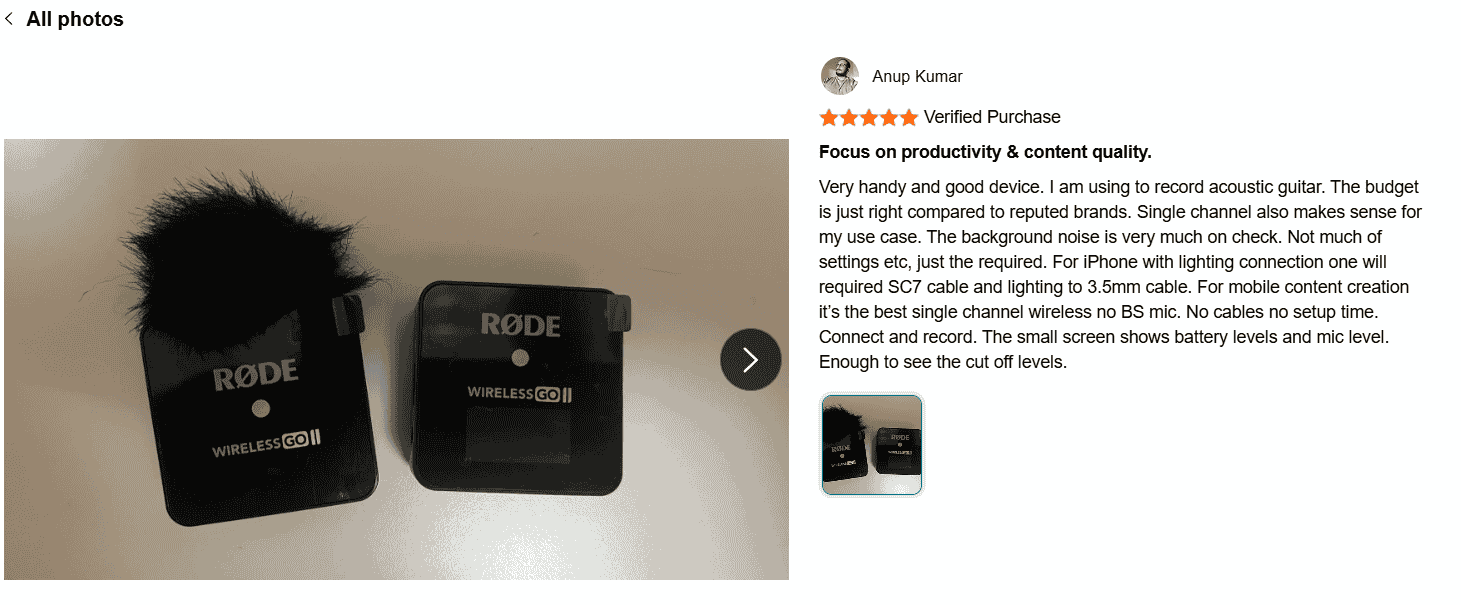
This one has been a creator favorite for years, and for good reason. It offers dual-channel recording (two mics, one receiver), onboard recording as backup, and compatibility with phones, cameras, and laptops. The Gen 3 version adds 32-bit float recording and comes in multiple colors. It’s reliable, sounds professional, and has a strong track record.
Best for: Creators who want a proven, versatile system that works across devices.
2. DJI Mic Mini
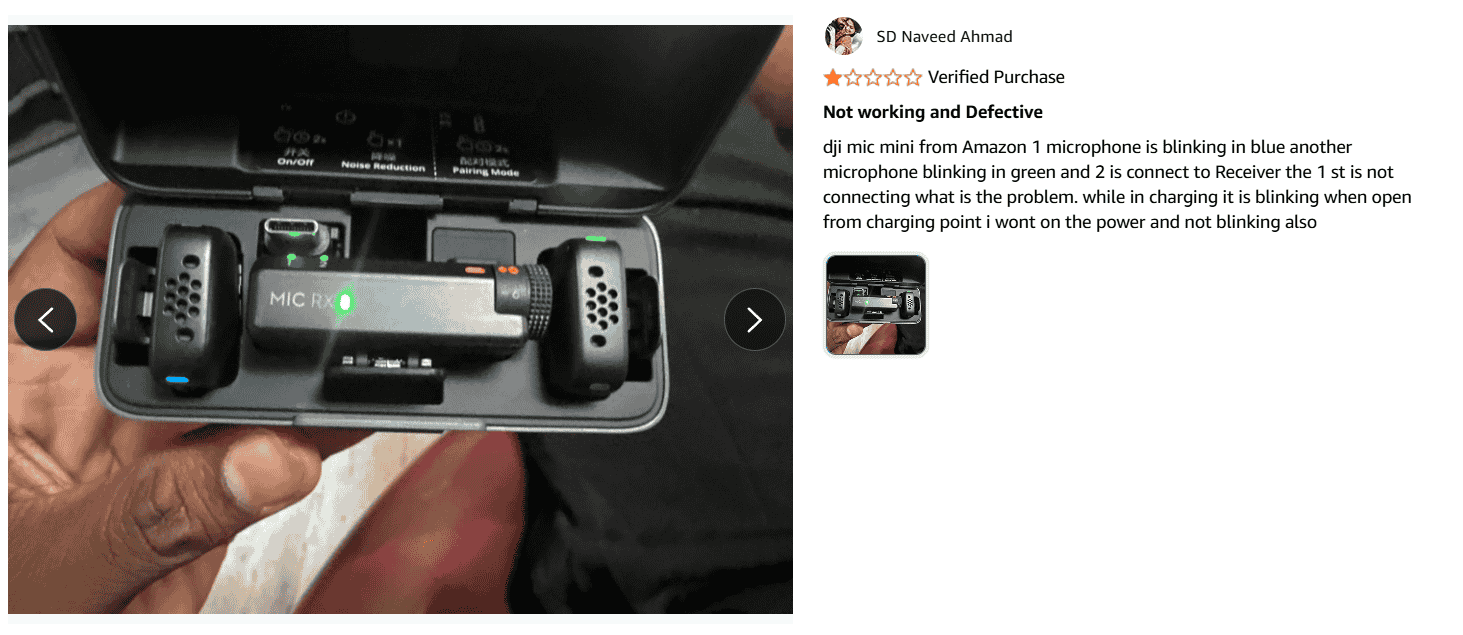
DJI brought their engineering expertise to the audio world, and the Mic Mini is compact, well-built, and has intelligent noise cancellation. The receiver connects directly to your phone, and the small form factor means it doesn’t get in the way during selfie mode. A solid pick for creators who value portability.
Best for: Solo creators who want a tiny, no-fuss setup for quick reel shoots.
3. Hollyland Lark M2
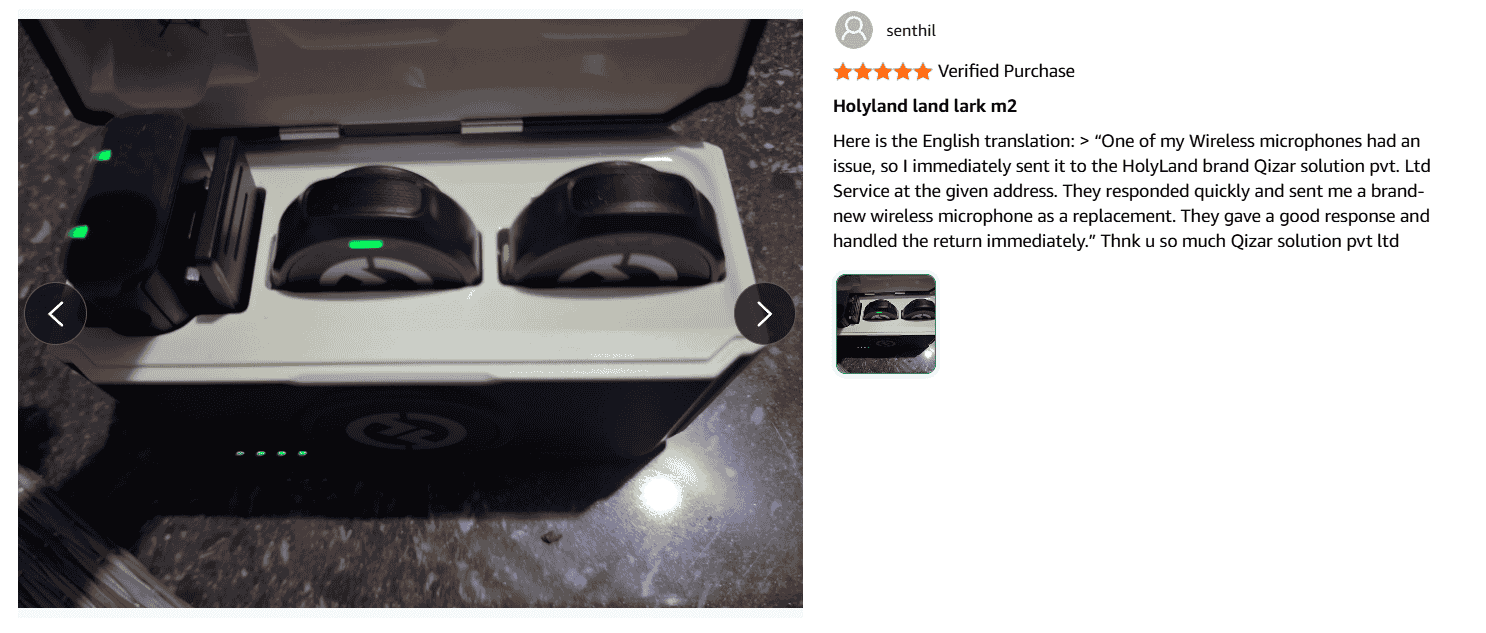
The Lark series has quietly become a favorite among mid-budget creators. The M2 offers good noise cancellation, a compact design, and a reliable wireless connection. It supports both USB-C and Lightning devices and works with cameras too.
Best for: Creators who want a balance of features and price without going premium.
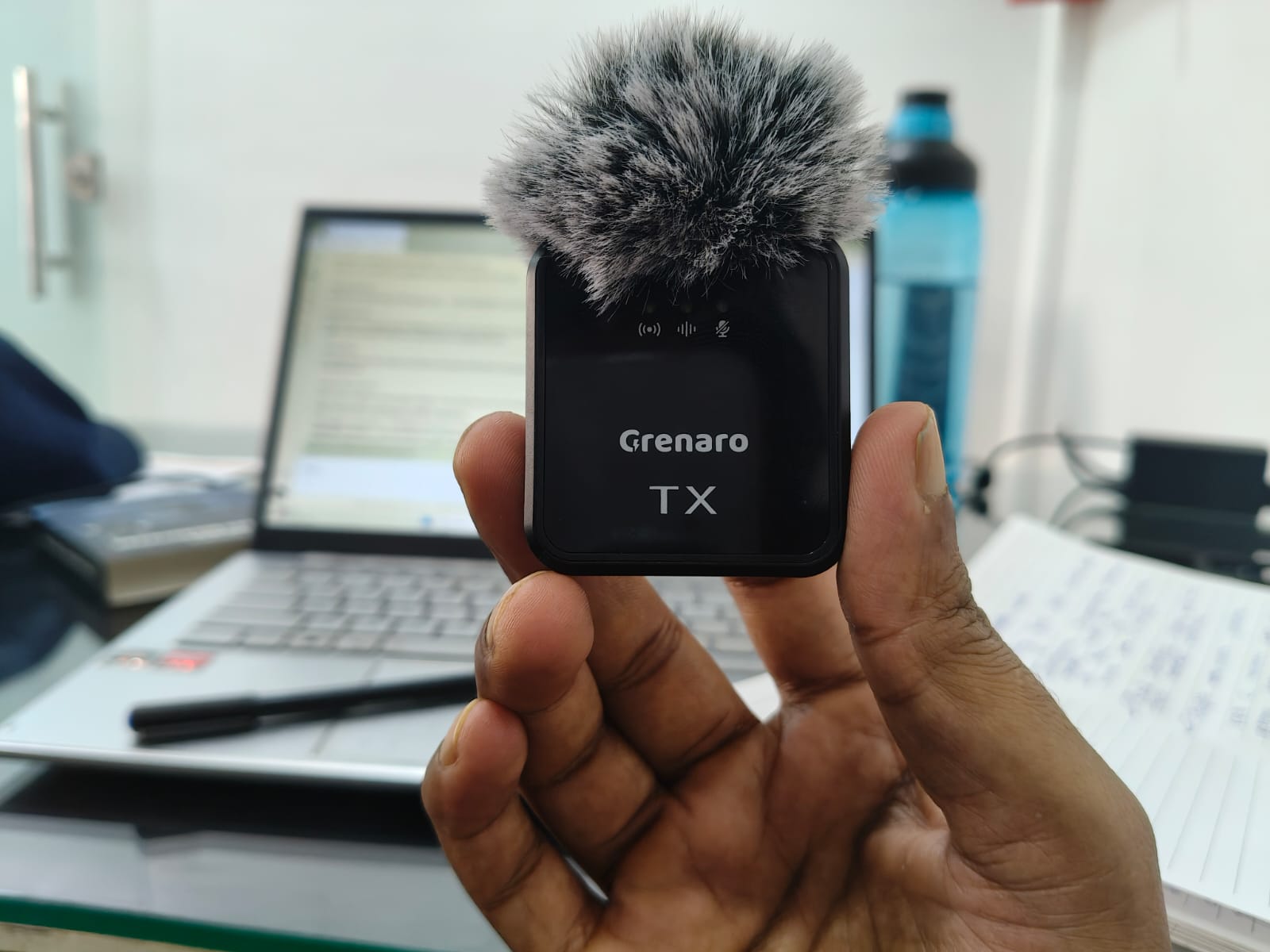
4. Grenaro TX
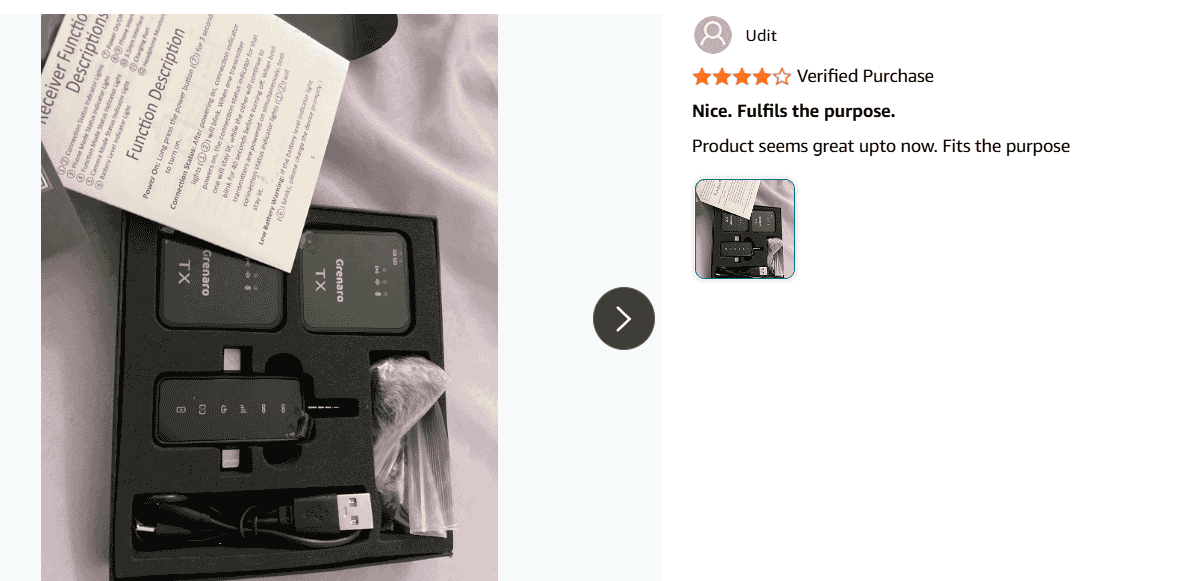
This is the one I personally use, and I’ll share my full experience in the next section. The Grenaro TX comes with two transmitters, one receiver, and wind muffs included. It offers 3-level noise reduction, works on both Android and iOS (with adapter), and supports PC connection too. The charging case with LED display is a nice practical touch. At its price point, the value is hard to beat for Indian creators especially.
Best for: Budget-conscious creators in India who need a dual-mic setup with wind protection.
5. SYNCO P1X
If your budget is very tight but you still want a clear upgrade over your phone mic, the SYNCO P1X is worth considering. It’s a basic single-channel wireless mic with plug-and-play simplicity. It won’t match the features of pricier options, but for solo talking-head reels, it does the job.
Best for: Beginners who want to start with wireless audio without spending much.
How to Connect a Wireless Mic With Your Phone
Connecting a wireless mic to your phone sounds intimidating, but it’s actually straightforward once you know your phone’s port type and your mic’s receiver type.
For Android Phones (USB-C Port)
Most wireless mics in 2026 come with a USB-C receiver. Plug the receiver into your phone’s USB-C port, turn on the transmitter (the part you clip to your clothes), and they auto-pair. That’s it.
One important step many people miss: enable OTG (On-The-Go) on your Android phone. Go to Settings, search for “OTG,” and turn it on. Without this, many phones simply won’t recognize the external mic. On some phones like OnePlus and Samsung, OTG turns off automatically after 10 minutes of inactivity, so turn it on right before you shoot.
If Instagram’s default camera doesn’t pick up the external mic, use a third-party camera app like Open Camera. In Open Camera, go to Settings → Video Settings → Audio Source → select “External mic.” Record your video there, then upload it to Instagram as a reel.
For iPhones (Lightning / USB-C)
If you have an iPhone 15 or newer (USB-C port), the process is similar to Android, plug in the USB-C receiver and start recording.
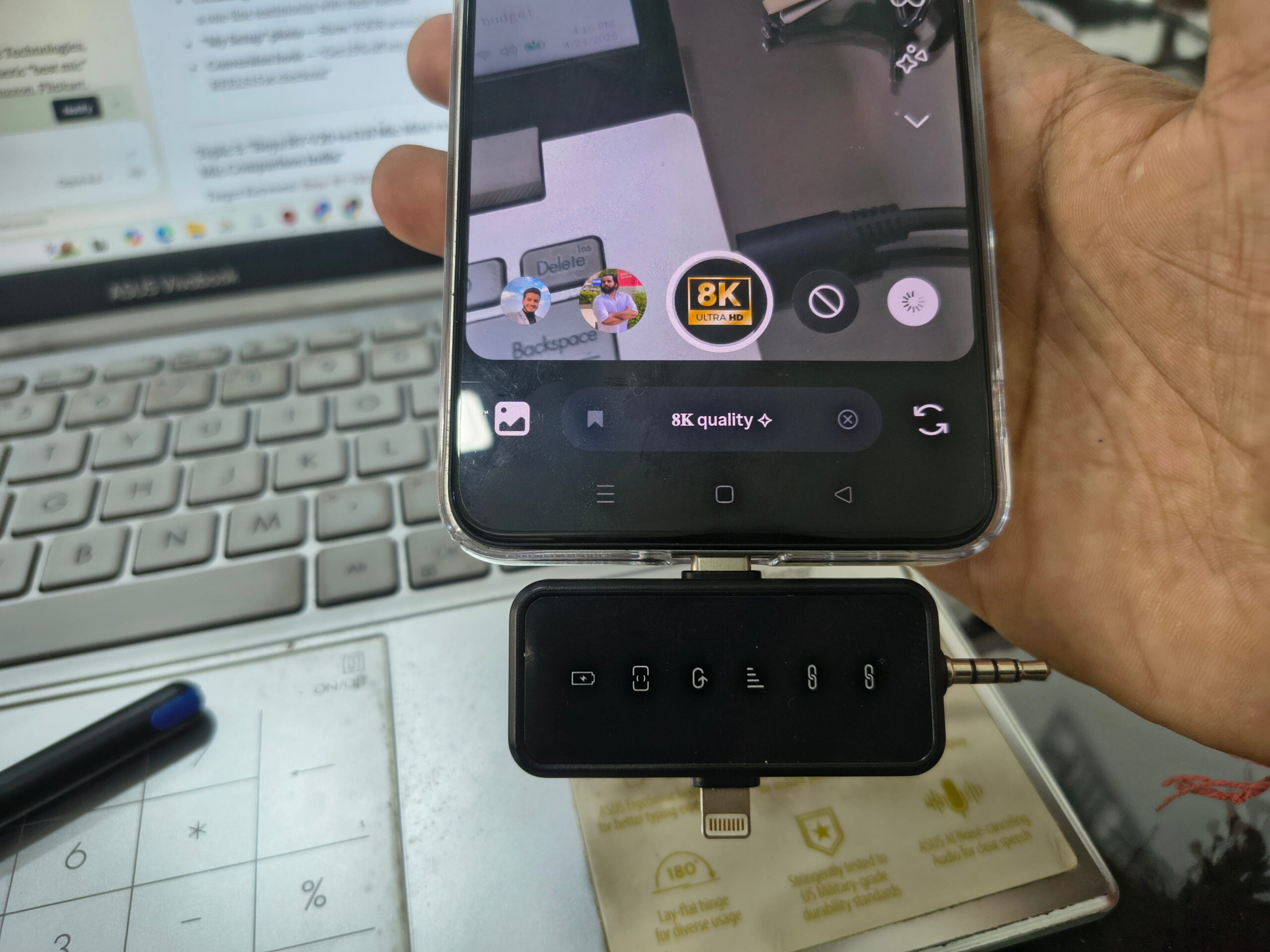
For older iPhones with a Lightning port, you’ll need a USB-C to Lightning adapter. Most mic brands like Grenaro and RODE include this adapter in the box. Plug the adapter into your iPhone, connect the receiver to the adapter, and you’re set.
Important note: Apple’s native camera app generally recognizes external mics automatically. But always do a quick 10-second test recording before your actual shoot. Play it back, listen with earphones, and confirm the mic audio is being captured.
For PC or Laptop
Many wireless mics also work with computers via USB-C. This is useful if you record voiceovers for reels on your laptop. Plug the receiver into your PC’s USB-C port (or use a USB-C to USB-A adapter), and select the mic as your audio input in your recording software.
Frequently Asked Questions
Can I use a wireless mic with Instagram’s built-in camera?
It depends on your phone. Most Android phones require OTG enabled and sometimes a third-party camera app. iPhones generally work with Instagram’s camera directly once the mic is plugged in. Always test before a real shoot.
Do wireless mics cause audio delay in reels?
Mics using 2.4GHz wireless (like Grenaro, RODE, DJI) have near-zero latency — usually under 20 milliseconds. You won’t notice any delay. Bluetooth mics, however, can have noticeable lag.
Is a ₹1,000 wireless mic good enough for reels?
For basic talking-head content in a quiet room, yes. But if you shoot outdoors or need noise cancellation, spending ₹1,500-3,000 gets you significantly better audio quality and features like wind muffs and multi-level noise reduction.
How far can I stand from my phone while using a wireless mic?
Most mics offer 20-50 meters of range. For reels, you’ll rarely need more than 5-10 meters. Even budget mics cover this easily.
Can one wireless mic work with two phones?
Not simultaneously. One receiver connects to one device at a time. If you need audio on two devices, you need a mic system with dual outputs (like the NearStream AWM28T, which offers USB-C and 3.5mm output simultaneously).
My Experience: One Year With the Grenaro TX
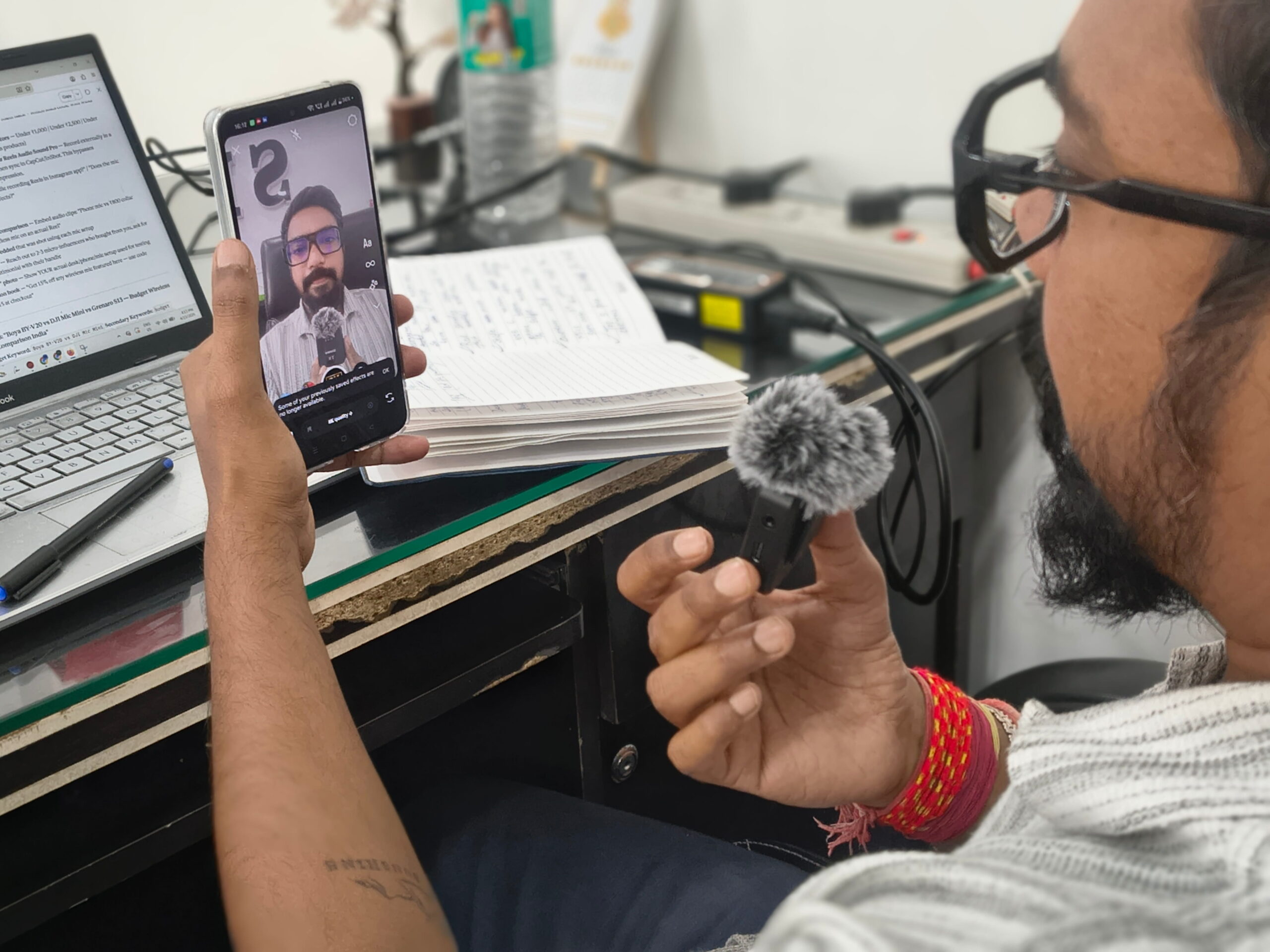
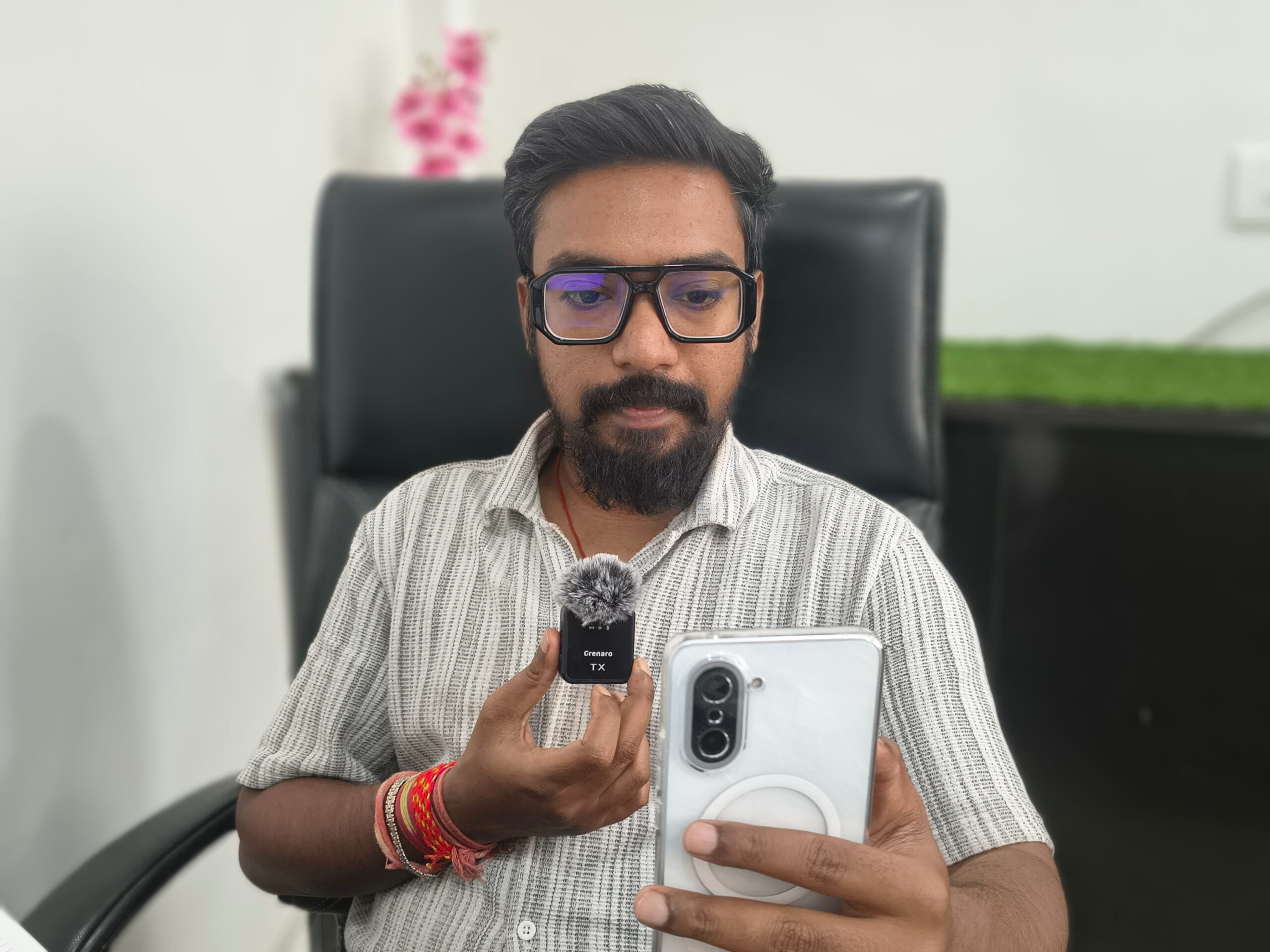
I’ve been using the Grenaro TX wireless microphone for over a year now, and I want to share what it’s actually like living with this mic day in, day out.
When I first ordered it, I wasn’t expecting much, it’s a budget mic from an Indian-focused brand, and I’d been burned by cheap mics before. But this one genuinely surprised me.
What you get in the box: Two transmitter mics, one receiver, wind muffs for both transmitters, a charging case with LED battery display, USB-C charging cable, and a Lightning adapter for iPhone. The packaging felt proper, not like some afterthought.
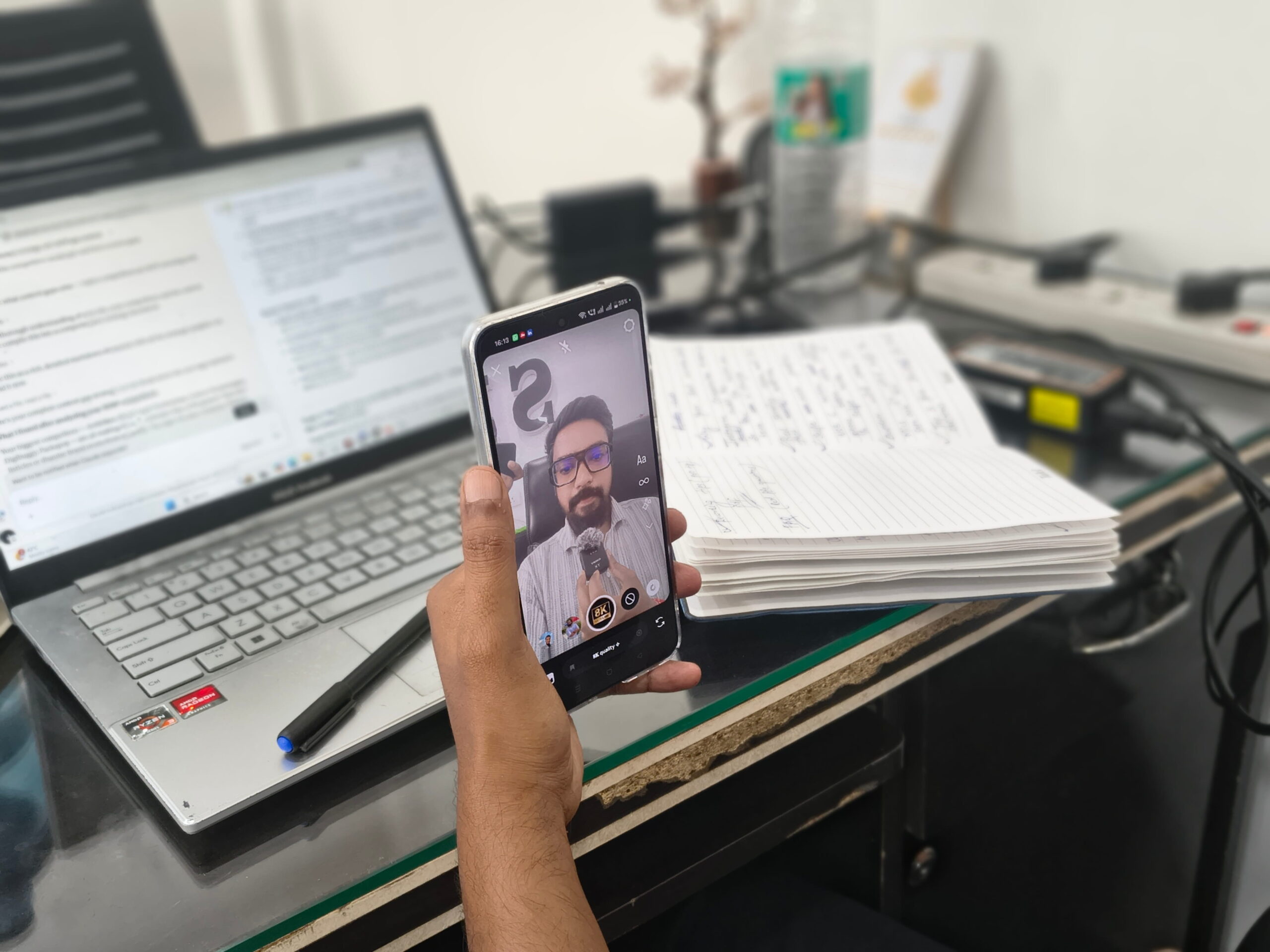
Audio quality. This is what matters most, so I’ll be blunt, the audio quality is very, very good for the price. Voices come through clear, the 3-level noise reduction actually works (I keep it on Level 2 for most outdoor shoots), and the 360-degree pickup means I don’t have to worry about mic positioning too much.
The dual mic setup is a game changer. I shoot interview-style reels sometimes, and having two mics that connect to one receiver means both speakers get clear audio. No need to pass one mic back and forth like a karaoke night.
Wind muffs. These little furry covers have saved my outdoor content more times than I can count. I shoot in Chhattisgarh where it gets windy, especially during evenings, and the muffs kill most wind noise. Not 100%, but enough that my voice stays clear and dominant.
Battery life. Each transmitter gives me around 6-8 hours on a full charge, and the charging case tops them up multiple times. I’ve never run out of battery during a shoot. The LED display showing exact battery percentage is a small thing, but it removes the “is my mic dying?” anxiety.
Works on both phone and PC. I use it with my Android phone for reels and with my laptop for voiceover work. Switching between devices is just a matter of plugging the receiver into a different port. No re-pairing, no app, no Bluetooth hassle.
Any complaints? The receiver does stick out a bit during selfie mode, I solved that with a right-angle USB-C adapter. Also, the build quality is plastic, not premium metal. But honestly, for a mic I clip to my shirt and toss in a bag, I don’t need it to feel like jewelry.
After one year of regular use, the Grenaro TX is still my daily driver. If you’re a reel creator on a budget who needs reliable dual-mic audio with wind protection, I’d recommend giving it a serious look.
My Setup
Audio Sample